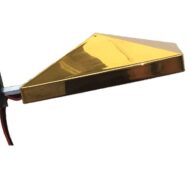
Getting Your Ajna Light Ready
- Fix the 1/4 inch mount connector on the Ajna Lamp Pyramid to your tripod
- Insert the headphone and WiFi adapter into the USB ports on the Ajna Light PC Box
- Plug the power supply into your outlet and give the PC a few minutes to boot up and broadcast the WiFi signal
- Join the AjnaLamp–XXXXXX WiFi access point from whichever device you prefer, then enter the password pineal777
- Launch any browser on your phone, tablet or laptop (Chrome, Safari, Firefox) and enter al.com in the address bar, or any URL (aaa.com, light3.com, etc.)
You don’t need internet access to operate the Ajna Light — it generates its own WiFi network (a WiFi hotspot). You can also connect through an ethernet cable plugged into a router port.
Powering Down Your Light
First confirm the current session has finished or been stopped, then tap the red shut down button in the top right corner of any Ajna Lamp Control page. Confirm the shutdown and wait for the countdown to reach zero before unplugging your light.
Using the PyraLight Pad and IR Nasal Laser with the Ajna Light
The PyraLight.com pad pairs nicely with an Ajna Light session, relaxing the body through the three brain wave EEG frequencies of delta, schumann and gamma. Set the pad on your abdomen before the Ajna Light session begins.
The IR Nasal Light relies on two 650nm red lasers that shine inside the nose to boost oxygen in the brain and mitochondrial energy, which helps clear brain fog and ease tiredness. The capillaries inside the nostrils sit close to the surface, so all the blood passing through them receives the IR laser light. That light separates red blood cells that are typically clumped together, restoring their full surface area for carrying oxygen. In China, much of the recent research on nasal IR light has focused on treating stroke and dementia.
The Nasal IR Light works well on its own, or alongside the PyraLight and Ajna Light.